Security
This page describes how Castra is built. It is not a list of certifications, and Castra has not been independently audited.
One request, start to finish
Every request takes the same path, and every check happens on the way in.
- 1BrowserSomeone signs in and makes a request.
- 2Your TLS proxyTLS ends here. Castra expects it to be in front.
- 3Castra APISecurity headers, and an Origin check on every state-changing request.
- 4SessionLooked up in Valkey. No session, no request.
- 5RoleWorked out from organisation, group and person grants. The highest wins.
- 6Organisation setThe request’s database transaction sets castra.org_id.
- 7PostgresConnected as the restricted app role, with forced row-level security.
- 8Write and auditThe change and its hash-chained audit event commit together.
If you cannot see something, Castra returns the same "not found" as for something that does not exist, so a guess tells you nothing.
Tenant isolation
Organisation data is protected by Postgres row-level security. It is enabled and forced, so even the table owner cannot bypass it. Each policy compares a row's organisation with a setting the server puts on the database transaction inside every request.
- The app connects as a restricted role: not a superuser, no bypass of row-level security, and only select, insert, update and delete
- That role cannot change the schema. Only the migration step connects as the owner
- Row-level security has its own test suite, run in CI as the real app role
castra.org_id is set for the transaction. Rows from any other organisation do not match the policy, so they are not returned and cannot be changed.
Access
Each tool has its own ladder of roles. A role can be granted to the whole organisation, to a group or to one person, and the highest applies.
Minerva
- guest
- reporter
- developer
- lead
- manager
- admin
Caelus
- guest
- reviewer
- editor
- maintainer
- admin
Mercury
- requester
- team member
- team lead
- workflow manager
- service manager
- admin
Groups from your provider
Groups come from the identity provider's groups claim at each sign-in. A group name never maps to a project automatically; an admin makes that choice.
Minerva security levels
Admins define levels, such as "Security team only", that name who may see an item. Everyone else cannot find it anywhere: not in search, boards, reports, macros, notifications or exports, and it is never sent to webhooks or chat. Sub-items inherit the level.
Caelus page restrictions
A page can be limited for viewing or editing to an organisation, a group or a person. Restrictions only narrow access, never widen it, and they inherit down the page tree.
Mercury ticket visibility
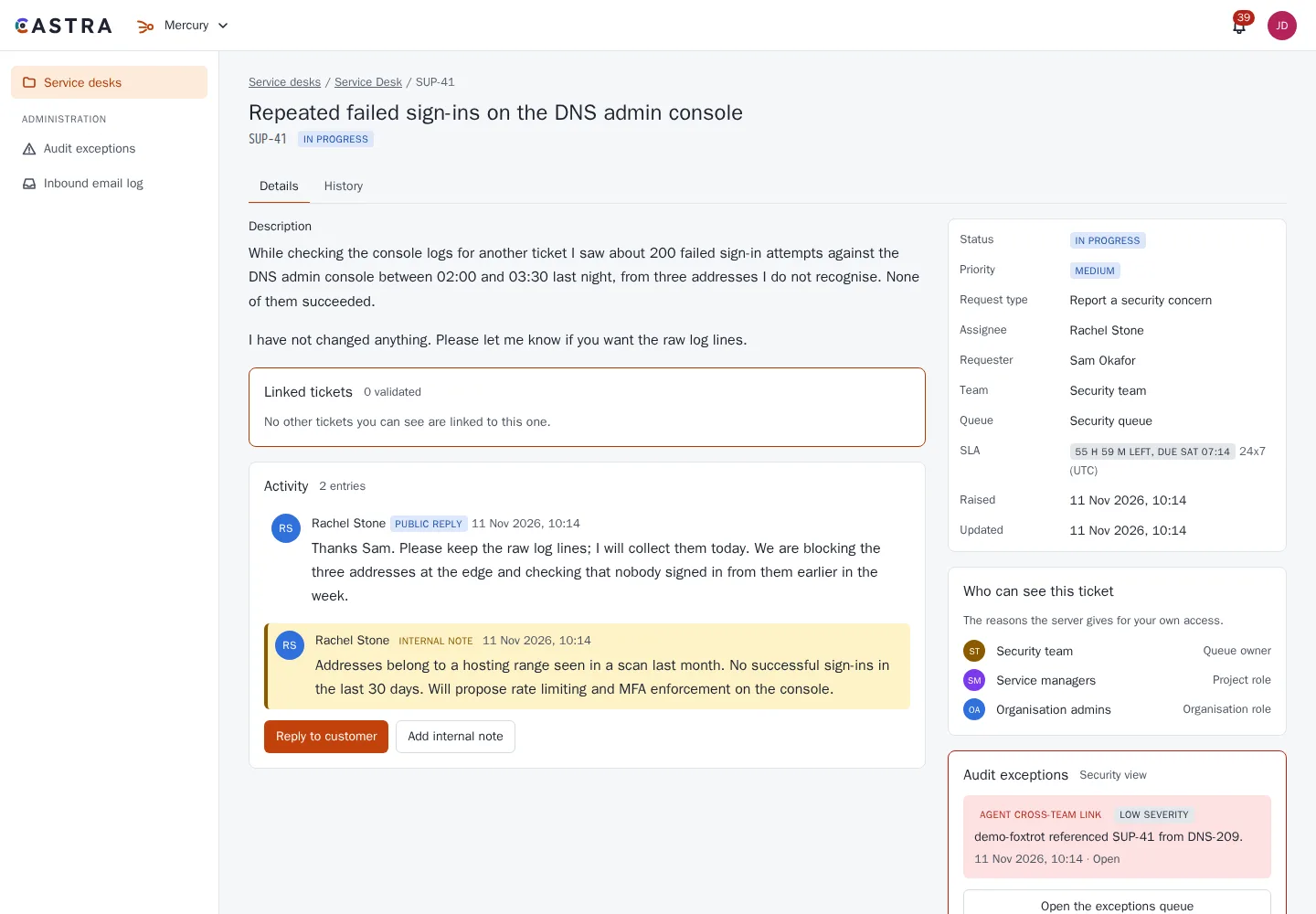
A ticket is visible to the requester, its participants and any groups it is shared with. Agents on a team whose queue held it can see it, as can the assignee, anyone who can see a validated linked ticket, and service managers.
- Mercury tickets show who can see the ticket and why
- Admins can ask why a person has a role on any project
- If you cannot see something, you get the same "not found" as for something that does not exist
- A smart link to something you cannot see stays plain text, and does not reveal that it exists
Audit
A tamper-evident record of what changed, who did it and when.
What is recorded
Every change to shared data across the three tools, plus organisation, access and settings changes and sign-ins. Events hold ids and the names of changed fields, not the text of pages or tickets.
Reads are not recorded.
Hash-chained
Each organisation has its own chain. Every event stores the hash of the one before it and its own sha256, so an edit or a gap shows up when the chain is checked.
Database triggers block update, delete and truncate on the audit log. Page versions, ticket comments and field history are append-only too.
For admins
The audit page filters by date, person, action or object, and shows each change with its hashes. Export as CSV or JSONL. A "Verify chain" button reports that the chain is intact, or the first broken link.
Checking it
An operator command verifies the chain on a schedule, and JSONL exports can be verified offline. Exports and verification runs are themselves audited. Events can also stream to OpenTelemetry, HTTPS or syslog. Events are kept indefinitely; archive by exporting.
Tamper-evident, not tamper-proof. The chain lives in the same database and is not anchored anywhere else, so it shows tampering rather than preventing it by itself.
Example: two teams, one problem
Bob is on the network team. He has a ticket on a closed network, and it relates to a DNS ticket owned by another team.
Bob links his ticket to the DNS ticket. Because Bob can validly see both, the link is made, and both teams now see both tickets.
Alice guesses Bob's ticket number. She is not on his team and has no valid link. No link is created and nothing about the ticket is revealed.
- A guessed, unseeable or nonexistent ticket key all get the same neutral response
- Each guess is logged as an audit exception and an audit event
- Three in 24 hours raises the severity to high
- Admins triage these in a queue
Sign-in and sessions
Sign-in
OIDC authorisation code flow with PKCE (S256), state and nonce, using a certified OpenID client library. Any OIDC provider works. Multi-factor authentication is handled by your identity provider, and Castra never handles passwords.
Sessions
- The cookie holds a random 256-bit id, and the store keeps only an HMAC of it, so a leak of the store gives no usable cookies
- Idle timeout 8 hours and absolute limit 7 days, by default
- HttpOnly, Secure and SameSite=Lax, with a new id at each sign-in
- Sessions live in Valkey and fail closed if it is down
- A suspended user is locked out on their next request
- People can see their active sessions and end any of them
- Logout also ends the identity provider session where it supports that
Web protections
Browser policy
A Content-Security-Policy on every page and API response: scripts from Castra only, no inline scripts, no framing and no plugins. Inline styles are allowed because diagrams and maths need them.
Also X-Frame-Options DENY, nosniff, a strict Referrer-Policy and a minimal Permissions-Policy. HSTS is opt-in, because TLS ends at your proxy.
Requests
Every state-changing request that carries a session cookie must come from Castra's own origin (Origin check, with Referer as a fallback), on top of SameSite cookies.
The API is rate limited per client IP, with a tighter limit on sign-in. The limits are shared across API containers and can be configured.
Content and email
Page and comment Markdown is sanitised against an allowlist when it is saved and again when it is rendered.
Reply-by-email addresses are HMAC-signed.
Tokens, webhooks and backups
API tokens
Personal tokens for your own scripts, and service tokens for automation that should not depend on one person. Each token is limited to the products it needs and expires.
Signed webhooks
Every outgoing webhook is signed, so the receiving system can check it came from your Castra and was not changed on the way. Failed deliveries are retried, and every attempt is logged.
Export and restore
A whole organisation exports as one archive, files included, with the audit chain kept intact, and restores from it. Backup scripts cover the whole install. Where backups are kept stays your choice.
Build and supply chain
- The lockfile is enforced in CI and in image builds
- Dependencies are mostly pinned to exact versions
- Images are multi-stage and carry production dependencies only
- Both images run as a non-root user
- Images are published for amd64 and arm64, signed so you can check where they came from
- Every image is scanned before release, and a critical vulnerability with a fix available stops the release
- CI has read-only repository permissions
Your data, your boundary
Self-hosted Castra has no telemetry and no licence server, so nothing needs to leave your network. To report a security concern, get in touch.