Caelus, knowledge hub
Write it down, together.
Caelus is where documentation, runbooks and decisions live. Edit together in real time, keep every page as Markdown, and see exactly what changed.
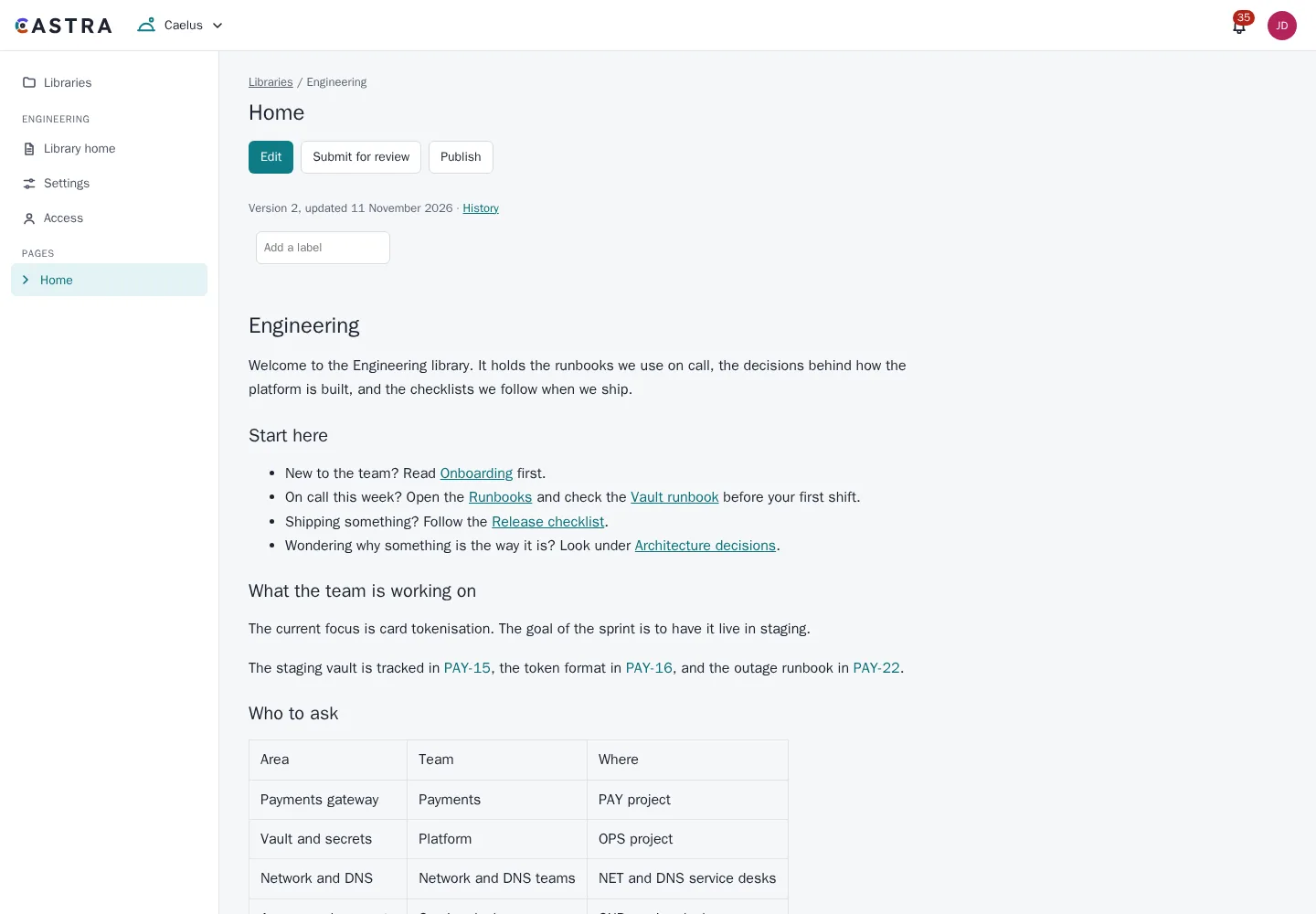
Collaborative editing, stored as Markdown
A WYSIWYG editor that several people can use at once. Underneath, every page is plain Markdown, so your content stays readable and portable.
- Libraries and page trees, with shortcuts in each library sidebar
- A blog in each library, with review before posting and a personal feed
- Real-time collaborative WYSIWYG editing
- Paste Markdown and it renders
- Code blocks
- Attachments with versions you can restore, and previews in the browser for images, PDF, video, audio, text and CSV
- Templates for a library or the whole organisation, with six starters, variables, and save-as-template from any page
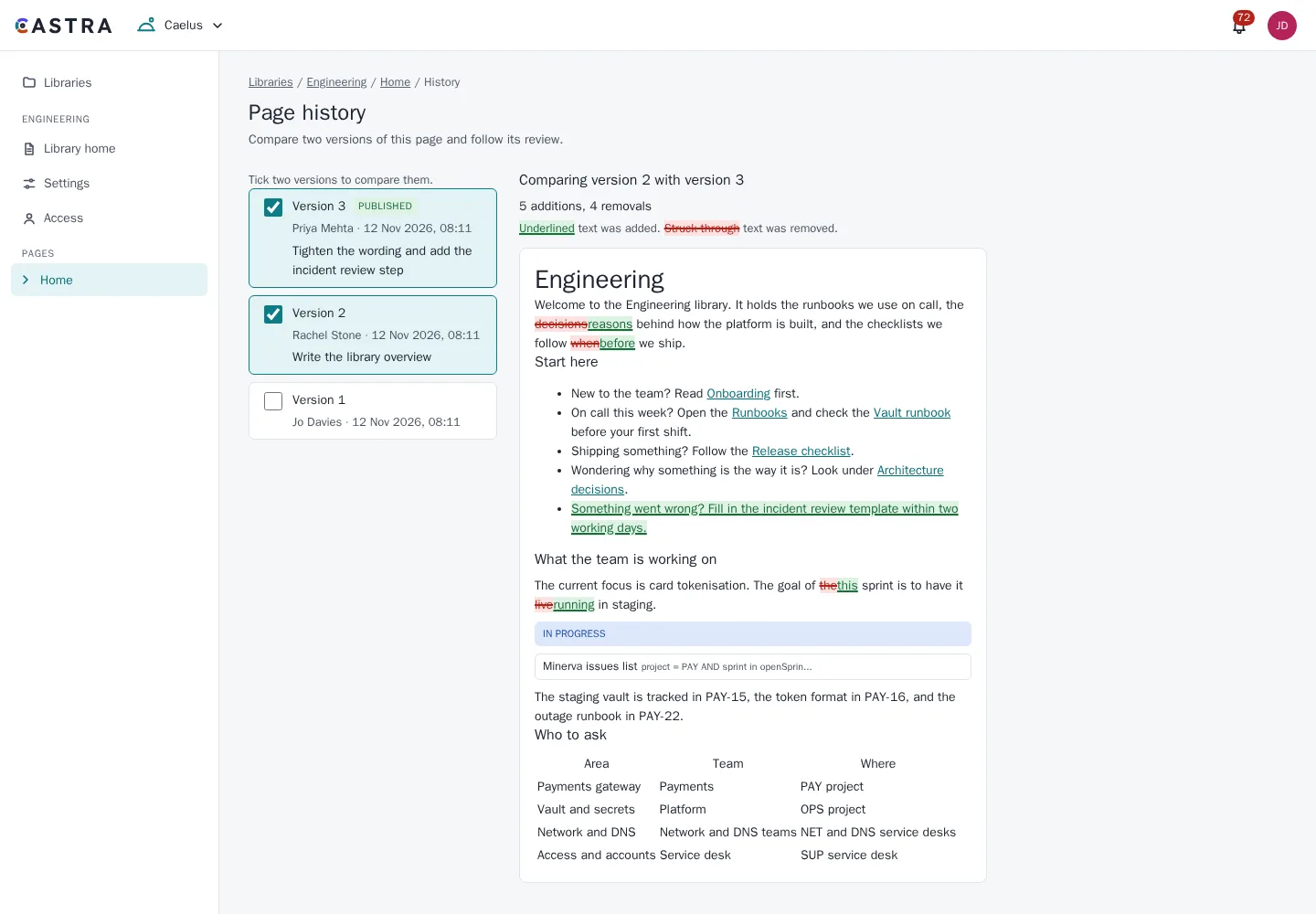
History you can read
Compare any two versions with the changes shown inline, word by word. Where a page needs a second pair of eyes, turn on review and approval before it publishes.
- Page history with inline word-level diffs
- Optional review and approval before publishing
Comments, mentions and search
Comment on pages, follow the ones you need, and find them again.
- @mentions with a people picker. People are told once, and only if they can read the page
- Favourite pages in the sidebar and on the Caelus home
- Watch a page, or a page and everything under it
- Threaded page comments, and inline comments on selected text
- Full-text search filtered by library, label, author and date
- Restricted pages never show in search results
Diagrams and live data
Draw it, or describe it, and keep it next to the text.
- Mermaid and Draw.io diagrams
- Macros that embed live Minerva roadmaps, issue counts and charts, and Mercury ticket lists
- Macros for release progress, content reports, page history, columns, galleries, charts from tables, embeds from approved sites, task reports with due dates, and more
- Every macro shows only what the reader may see
- Publish articles to the Mercury knowledge base so requesters can find answers themselves
Look after your pages
Keep libraries tidy, and take your content with you.
- Page views for editors, and lists of the most-viewed pages and those nobody has opened in 90 days
- Analytics with privacy in mind: one switch turns them off, names stay hidden unless an admin allows them, and data goes after 180 days
- Archive pages: gone from the tree and search, still readable at their link, and restorable
- Manage many pages at once: move, label, archive, restore or change owner
- Export a page and its children to PDF or Word, with a title page and contents, on A4 or Letter
- Exports include only what the reader can see, never comments
- Export a whole library as offline HTML plus Markdown
- Import library exports, Markdown, Word files or HTML from another wiki, with a preview and nothing overwritten
Works with the rest of Castra
Link to a Minerva issue or Mercury ticket and see a live preview in the page.
Library access follows your directory groups, set by project admins.
Activity is recorded in the shared audit log.
Part of Castra
Caelus shares sign-in, access rules, audit and smart links with the other two tools. Use one, or all three.